Choosing the right printable RFID labels for inventory and supply chain tracking depends on the items being tracked, the mounting surface, and the reading environment.
Printable RFID labels combine electronic identification with visible information, such as a barcode, product code, or serial number.
However, label dimensions, antenna design, chip specifications, printing and encoding requirements, mounting surface, and operating conditions all affect suitability. This guide explains how to evaluate these factors, compare different label types, and select a printable UHF RFID label for inventory and supply chain applications.
Why Are Printable UHF RFID Labels Used in Inventory and Supply Chain Tracking?
Printable ultra-high-frequency (UHF) radio-frequency identification (RFID) labels help businesses identify tagged items electronically while retaining printed information for people and conventional scanning systems.
How Do Printable RFID Labels Combine Electronic and Visible Identification?
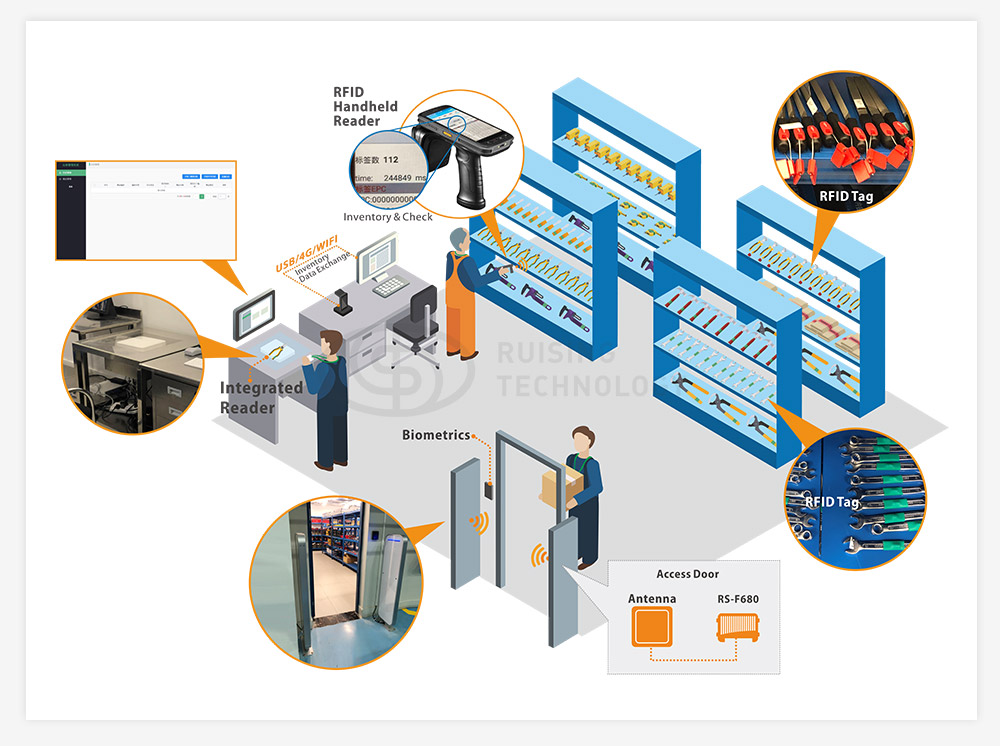
A printable RFID label contains an RFID inlay that combines a chip and antenna within the label structure. A compatible RFID reader can capture the encoded identifier without requiring direct visual contact with the label.
At the same time, the printable surface can carry human-readable text, barcodes, QR codes, product codes, logos, or serial numbers. This allows the same label to support both electronic RFID identification and visible information used by operators or conventional scanning systems.

When Can RFID Labels Offer Advantages Over Barcodes Alone?
RFID can be useful when teams need to identify multiple tagged items without scanning each label individually or maintaining a direct line of sight to every tag. Conventional barcodes remain useful for low-cost identification and workflows where operators can scan items individually.
Requirement | Barcode label | UHF RFID label |
Reading method | Optical scanning | Radio communication |
Direct line of sight | Normally required | Not normally required |
Multiple-item reading | Usually scanned individually | Multiple tags may be read within the reader’s effective field |
Additional equipment | Barcode scanner or camera | Compatible RFID reader and supporting system |
Performance considerations | Print quality and visibility | Tag design, material, orientation, reader setup, and surrounding environment |
RFID does not automatically replace barcodes. Businesses should choose the technology according to their workflow and system requirements.
How to Choose Printable UHF RFID Labels
The right label should match the tagged item’s material, the printing and encoding workflow, the reader system, and the conditions in which the item will be used.
Key selection factors include the mounting surface, printing and encoding requirements, RFID protocol and regional frequency, read range, reader compatibility, and environmental conditions.
Match the Label to the Item Material and Mounting Surface
When choosing a UHF adhesive RFID label tag, first consider the item material and mounting surface. A general-purpose RFID label should not be assumed to perform equally well on every material.
Conventional adhesive labels may be suitable for cartons, paper packaging, and other compatible non-metallic surfaces. Metal equipment, tools, or returnable containers may require an on-metal RFID label, while liquid-filled containers should be tested because liquids can affect UHF RFID performance.
For curved, narrow, or frequently handled surfaces, also evaluate label dimensions, flexibility, adhesive method, and placement before selecting a model.
Check Printing and Encoding Requirements
Before ordering, confirm how the labels will be printed, encoded, and verified in the actual workflow.
- Printing: Confirm printer compatibility and whether the required text, barcode, QR code, logo, or other visible information fits the label.
- Encoding: Define which identifier must be written to the RFID chip and how encoded data will be verified.
- Data structure: Confirm whether each item requires a unique identifier and how RFID data will match existing inventory or product records.
Verify RFID Protocol and Regional Frequency
Confirm that the RFID label’s chip and protocol are compatible with the reader system and the regional frequency requirements of the deployment. Many supply-chain UHF RFID applications use EPC Gen2 / ISO 18000-6C-compatible tags, but the exact label and reader combination should still be verified before deployment.
Where standardized identifiers are required, GS1 EPC standards can provide a reference for structuring RFID data and supporting interoperability between systems.
Evaluate Read Range and Reader Compatibility
Actual read range depends on the RFID label, reader, antenna, tagged object, tag orientation, and surrounding environment. A published reading distance should therefore be treated as a reference rather than a guaranteed field result.
Before selecting a label, confirm compatibility with the intended reader and test the tag in the actual read zone, especially where items move through warehouse gates, conveyors, storage areas, or other fixed reading points.
Check Environmental Durability
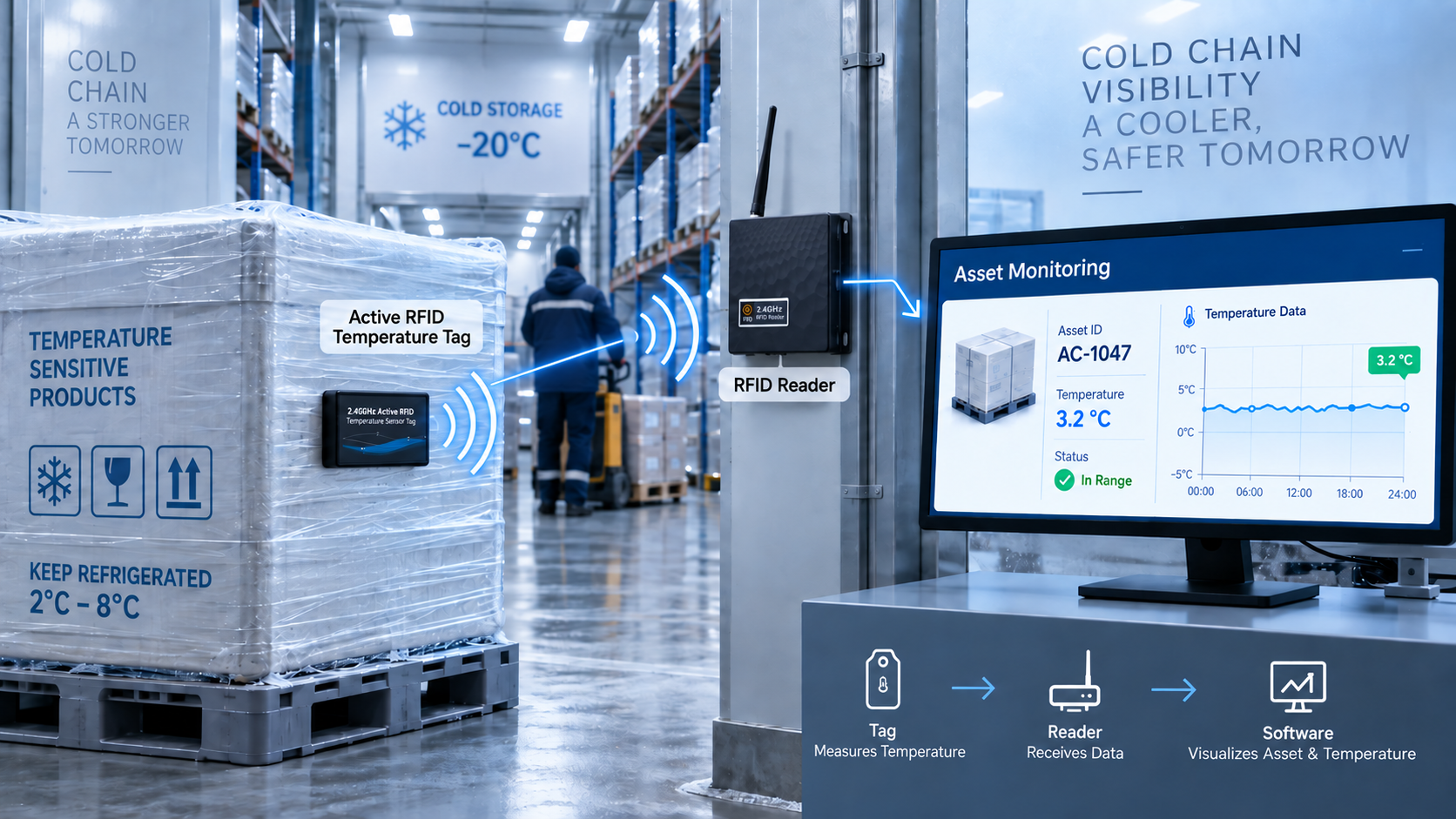
Where RFID labels will encounter moisture, abrasion, temperature changes, chemicals, repeated handling, or outdoor exposure, review the product’s construction, operating conditions, adhesive requirements, and any published ingress-protection rating.
Environmental suitability should be verified against the actual application rather than inferred from one specification alone.
RSTC Printable UHF RFID Label Options
RSTC offers printable UHF RFID labels for general inventory identification, metal assets, liquid containers, and applications requiring customized label dimensions or materials. Model selection should begin with the mounting surface and application, followed by verification of the published product specifications.

Model | Published characteristics | Potential application to evaluate |
50 × 50 mm; coated paper; NXP UCode 9 | General inventory identification | |
95 × 22 × 1.25 mm; on-metal construction | Metal equipment and assets | |
30 × 15 × 1.25 mm; on-metal design; IP68 rating listed | Compact metal assets | |
MR6 inlay/label; customizable materials and dimensions | Applications requiring label customization | |
Anti-liquid design; 43 × 18 mm; published 8 m fixed-reader range on liquid | Selected liquid-container applications |
RS-PT5050
RS-PT5050 is a 50 × 50 mm coated-paper UHF RFID label using the NXP UCode 9 chip. It supports adhesive installation and customization such as logos, barcodes, QR codes, printed numbers, and encoding, making it a practical option to evaluate for general inventory identification on compatible surfaces.
RS-PT02 / RS-PT16
For metal assets, RSTC offers printable on-metal options such as RS-PT02 and RS-PT16. RS-PT02 uses a PET, aluminum-foil, and foam construction, while RS-PT16 provides a more compact format and lists an IP68 rating. Final suitability should still be confirmed according to the asset surface, printer, reader, and operating environment.
RS-PT31 / RS-PT32
RS-PT31 supports customized label dimensions and materials for applications requiring a more tailored label format. RS-PT32 is designed for liquid-container applications and lists an 8 m fixed-reader range on liquid; this published figure should be treated as application-specific rather than a guaranteed distance in every deployment.
How to Validate RFID Labels Before Bulk Ordering
Run a Representative Application Test
Test sample labels on the materials and packaging used in daily operations rather than evaluating them only on a desk. Include different item orientations, storage positions, and reading points wherever these reflect normal working conditions.
Use this checklist:
- Apply each label to the intended surface and confirm adhesion.
- Print the required text, barcode, or other visible information.
- Encode the required identifiers and verify that the reader retrieves the correct data.
- Test reading performance at relevant distances and orientations.
- Check whether the label remains readable and attached under expected operating conditions.
- Confirm that captured identifiers can be matched to records in the inventory system.
Record the results for each model. If one label performs inconsistently, check its placement, reader configuration, and compatibility before deciding whether to test another design.
For more guidance on connecting RFID data with warehouse workflows and WMS transactions, see RSTC’s RFID warehouse management system deployment guide.
What to Confirm With the Supplier Before Ordering
Confirm technical and commercial requirements separately. Request the latest product specifications and confirm supported printers, encoding options, sample availability, minimum order quantity, production lead time, and customization services.
Ask the supplier to confirm the requirements for the exact model and order quantity. For applications involving metal or liquid containers, request samples for testing on the intended objects.
Conclusion: Choosing the Right Printable UHF RFID Label
Start by identifying the objects you need to track and the surfaces on which the labels will be installed. Then evaluate printing and encoding requirements, RFID protocol, read range, reader compatibility, and environmental conditions before comparing suitable label models.
RSTC offers general-purpose, printable on-metal, customizable, and anti-liquid RFID label options for different inventory and supply-chain applications. Before bulk ordering, test the selected label with the actual item, reader system, and operating environment to confirm suitability.